CART•[[chatnum]]
- No products in the cart.
-
-
-
specifications: [[item.skuinfo]]
price: [[item.currency]][[item.price]]
[[item.currency]][[item.allPrice]]
-
-
Price
[[listData.currency]][[listData.discount_price]]
[[listData.currency]][[listData.price]]
save [[parseInt((1-listData.discount)*100) ]]%
[[listData.product_sku.sku_code.show_name]]
more
retract
Please select
[[listData.product_sku.sku_code_add.show_name]]
[[listData.product_sku.sku_code_add.show_name]]
ADD TO CART
BUY NOW
ADD TO
CART
BUY NOW
TRUSTED STORE
This store has earned the following certifications.
- Certified Secure Certified
- 100% Issue-Free Certified
- Verified Business Certified
- Data Protection Certified
Unlock Exclusive Deals Now!
Limited-time special prices shop your favorites before they're gone! Click below to start saving!
Go to
see
loading...
loading...
loading...
loading...
loading...
loading...
loading...
loading...
loading...


Shop / suraielec wireless light switch
Smart Light Switch with Remote - Works with Alexa and Google Home
$32.69
$22.89
save
30%
[[pageData.product_sku.sku_code.show_name]]
Selected product:
[[dectitle]]
[[pageData.product_sku.sku_code_add.show_name]]
Please select
[[pageData.product_sku.sku_code_add.show_name]]
Quantity
Add To Cart
Buy Now
Add to Wishlist
Revised Content:
ORVIBO: Elevating Life with AI
At ORVIBO, we believe in the power of merging technology and aesthetics to transform living spaces and create a more comfortable, secure, and efficient smart living experience. Our focus on high-quality smart home devices and systems aims to redefine the way you interact with your environment.
Pairing the Wireless Remote Control with the Switch
There are two ways to pair the wireless remote control with the switch when using it for the first time:
-
Press the switch's light-off button for about 10 seconds until the indicator light flashes blue, then press any button on the wireless switch to complete the pairing.
-
In the ORVIBO Home app, click "Pair with Wireless Remote Control," then press any button on the wireless switch after the indicator light flashes blue to finish the pairing.
Customizing Your Smart Living
-
Set timers, countdowns, and sunrise/sunset functions in the app to align with your daily schedule. Automatically turn your lights on at sunrise and off at sunset, adjusting as the seasons change.
-
Activate vacation mode when traveling to randomly turn lights on and off, creating the impression of someone being home and deterring potential theft.
-
Customize commands and scenes, such as "go to bed," "back home," "leave for work," and "all lights off," using Siri voice control. Note: Siri voice control requires setting up the scenes in the ORVIBO Home app first, as HomeKit is not supported.
Four Ways to Control Your Lights
-
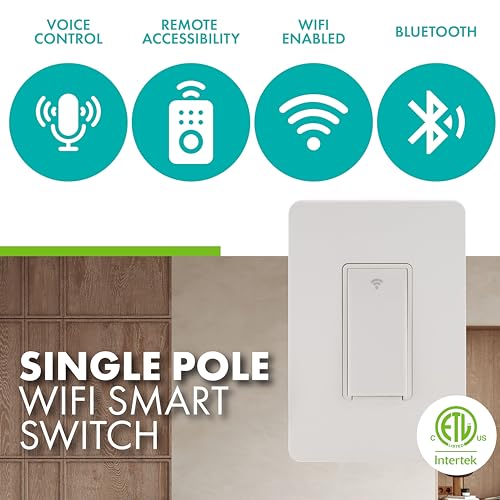
Voice Control: Works with Amazon Alexa and Google Home for hands-free control of your home devices and scenes.
-
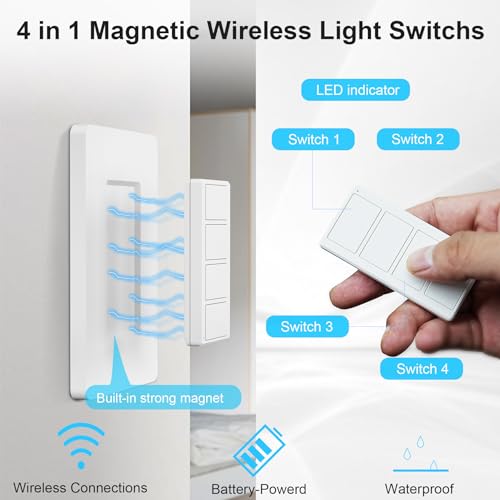
Wireless Remote Control: Enjoy a range of up to 200 feet, not limited by Wi-Fi signal. The remote can be wall-mounted or placed on a table, making it accessible for those with limited mobility or height restrictions.
-
App Control: Turn off all lights remotely to avoid wasting electricity, no matter where you are.
-
Wall Switch Control: Operate the light like a traditional switch when the network is disconnected. Requires a neutral wire and standard wall plate size.
Easy Installation and Compatibility
The ORVIBO Smart Switch with Remote Kit features Bluetooth Onboarding for a streamlined setup experience. Ensure your electrical box has a neutral wire (white) before purchasing, as it is required. The switch is compatible with 2.4GHz Wi-Fi networks, not 5GHz.
The wireless remote control can control multiple ORVIBO switches simultaneously without Wi-Fi, as long as it is paired with each switch separately before first use. Additional switches can be purchased separately.
product information:
| Attribute | Value | ||||
|---|---|---|---|---|---|
| package_dimensions | 4.84 x 3.19 x 3.15 inches; 9.59 ounces | ||||
| item_model_number | A10+EU1254 | ||||
| date_first_available | March 28, 2022 | ||||
| manufacturer | ORVIBO | ||||
| best_sellers_rank | #25,571 in Tools & Home Improvement (See Top 100 in Tools & Home Improvement) #92 in Electrical Light Switches | ||||
| customer_reviews |
|
You'll also like

Flash Sale
Add to cart

Flash Sale
Add to cart
Flash Sale
Add to cart
Flash Sale
Add to cart

Flash Sale
Add to cart


Flash Sale
Add to cart
Flash Sale
Add to cart
Flash Sale
Add to cart

Flash Sale
Add to cart

Flash Sale
Add to cart
MORE FROM suraielec wireless light switch

Flash Sale
Add to cart


Flash Sale
Add to cart

Flash Sale
Add to cart


Flash Sale
Add to cart
Flash Sale
Add to cart

Flash Sale
Add to cart
Flash Sale
Add to cart